
For your Signitic signature to be automatically added to each new message, simply set a default signature in Outlook.
❶ Access your Outlook mailbox
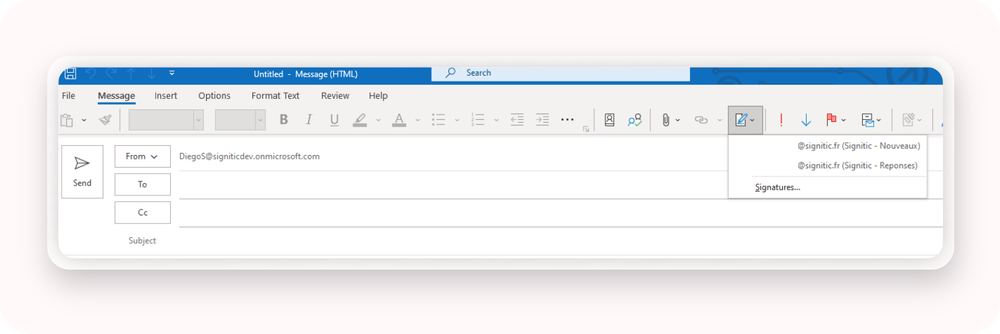
Open Outlook and create a new message. Then select the "Signatures" option in the menu.
❷ Click on Signatures
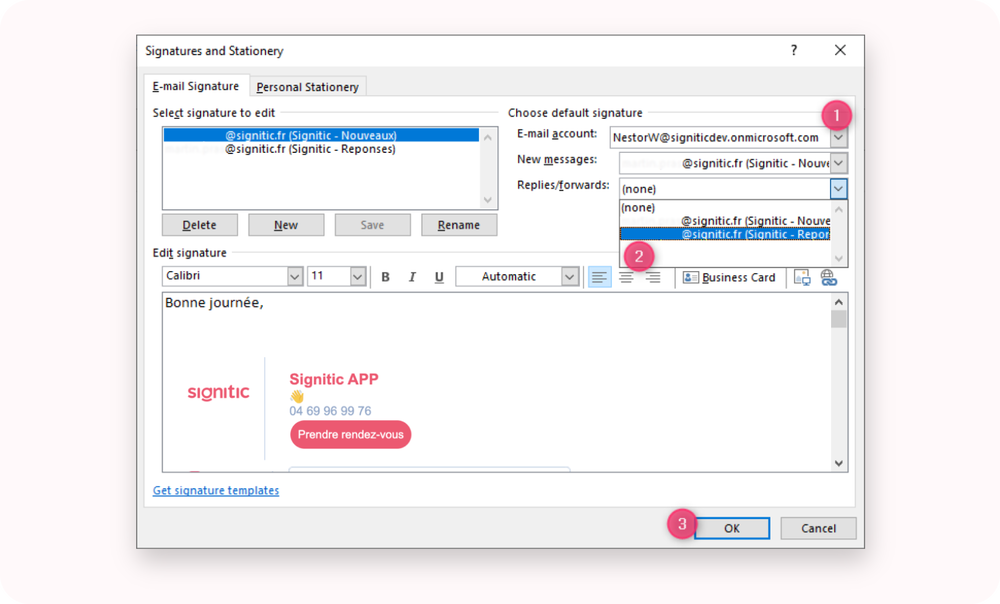
In the Signatures window, select your signature from the drop-down menu next to "New messages".
If you also wish it to be added automatically to Replies and Forwards, you can enable this option.
Click OK to save your settings.
From now on, your signature will be automatically added and updated for each new email you send.