
Managing signatures in Apple Mail is quite specific.
The behavior of the application often requires the signature to be re-imported into the Mail app.
Here is how it works.
❶ Go to the Mail signature settings
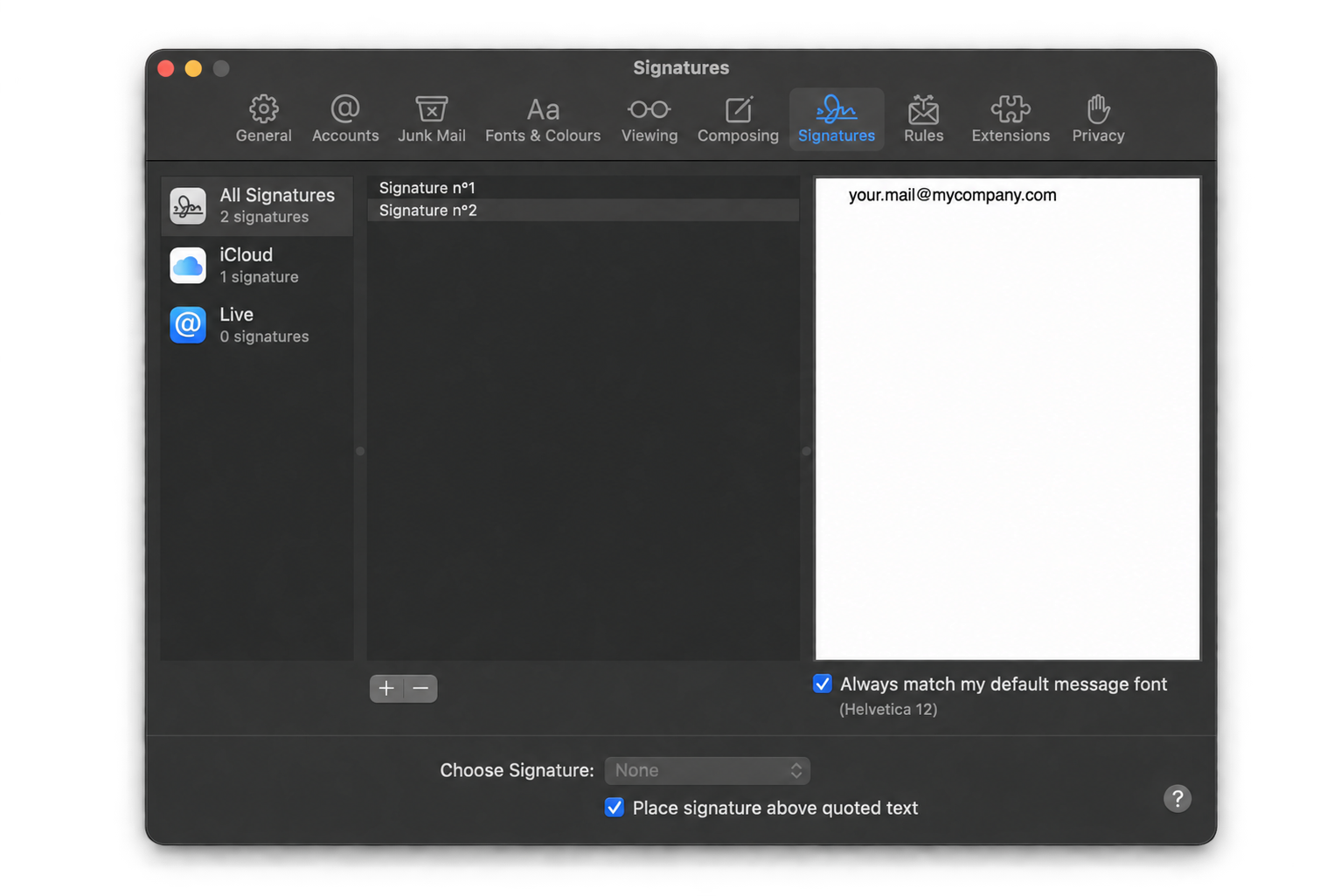
Open Apple Mail and go to the menu: Mail > Settings > Signatures.
Create a new signature by entering only your email example : [email protected] in the signature content – as shown in the screenshot below.
🔍 Important: Remove the first and last name above the email address so that the signature is correctly recognized by the Signitic agent.
❷ Update your signature
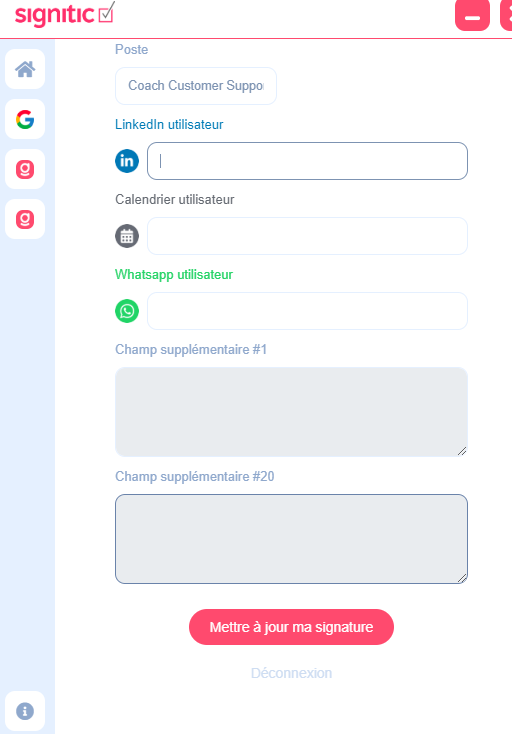
Open the Signitic client on your Mac and update your signature by clicking the "Update" button at the bottom of your profile page. This will retransmit your signature with the correct information.
If your signature is still not displayed, please contact us via the tooltip at the bottom right of your screen.