
Objective
This article explains how to retrieve the logs of the Signitic add-in. This technical information may be requested by Signitic support in order to analyze specific behavior or to facilitate a diagnosis.
Information available in the logs
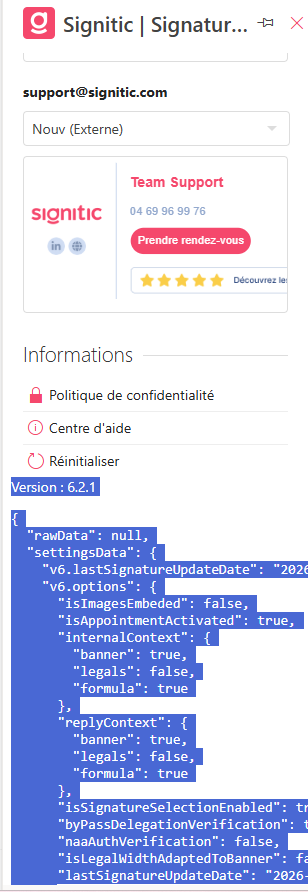
The logs display several useful pieces of information, including:
The version of the installed Signitic add-in
Information related to the applied signature
This data enables support to verify the configuration of the add-in and to identify more quickly the source of any potential issue.
Steps to retrieve the logs
Open your mailbox and display the Signitic add-in.
Click on the add-in to ensure that it is active.
On your keyboard, press the key combination Alt + B.
The action is immediate and does not require any additional confirmation.
Once the key combination has been executed, expand the Signitic add-in to access the displayed logs.
Send the logs to support
Once the logs are displayed in the add-in, select all the information, then copy and paste it. You then simply need to send these items to Signitic support in your assistance request.