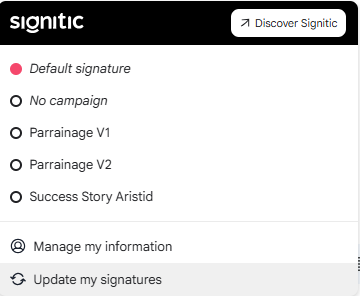
Your signature adapts to your usage. You remain in control and can choose which campaigns to display directly when composing your emails.
❶ Manage internal/external
If your administrator has added display conditions for your signature, it will be updated automatically when you write an internal or external email from Gmail.
❷ Use a campaign
You will be able to access various features in order to manage the display of your signature.
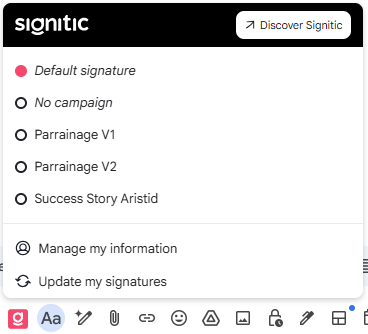
Default signature: View the signature assigned by default to your profile.
No campaign: You can choose not to display a campaign in your email.
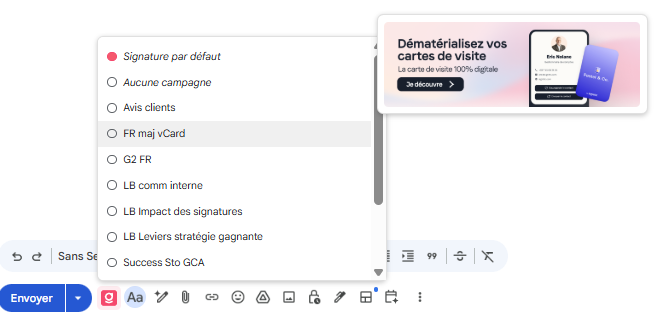
You will be able to select the campaign you wish from the list your administrator allows you to use. A preview is available before selection.
❸ Access your profile:
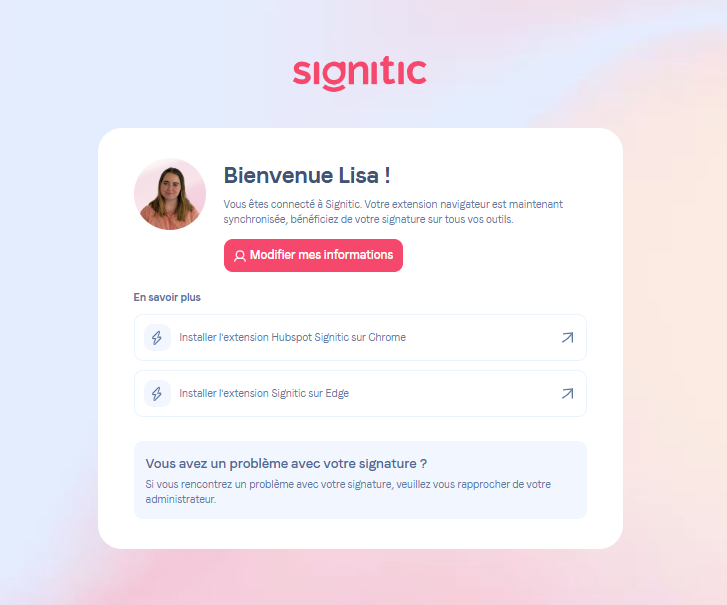
By clicking on “Edit my information”, you will access the form to edit your signature.
Synchronize my signatures: You can start a synchronization of your signatures in order to view the latest changes.