
By default, manual signature selection is disabled in the Outlook add-in. Signatures are automatically applied according to the context.
❶ Steps to enable manual selection
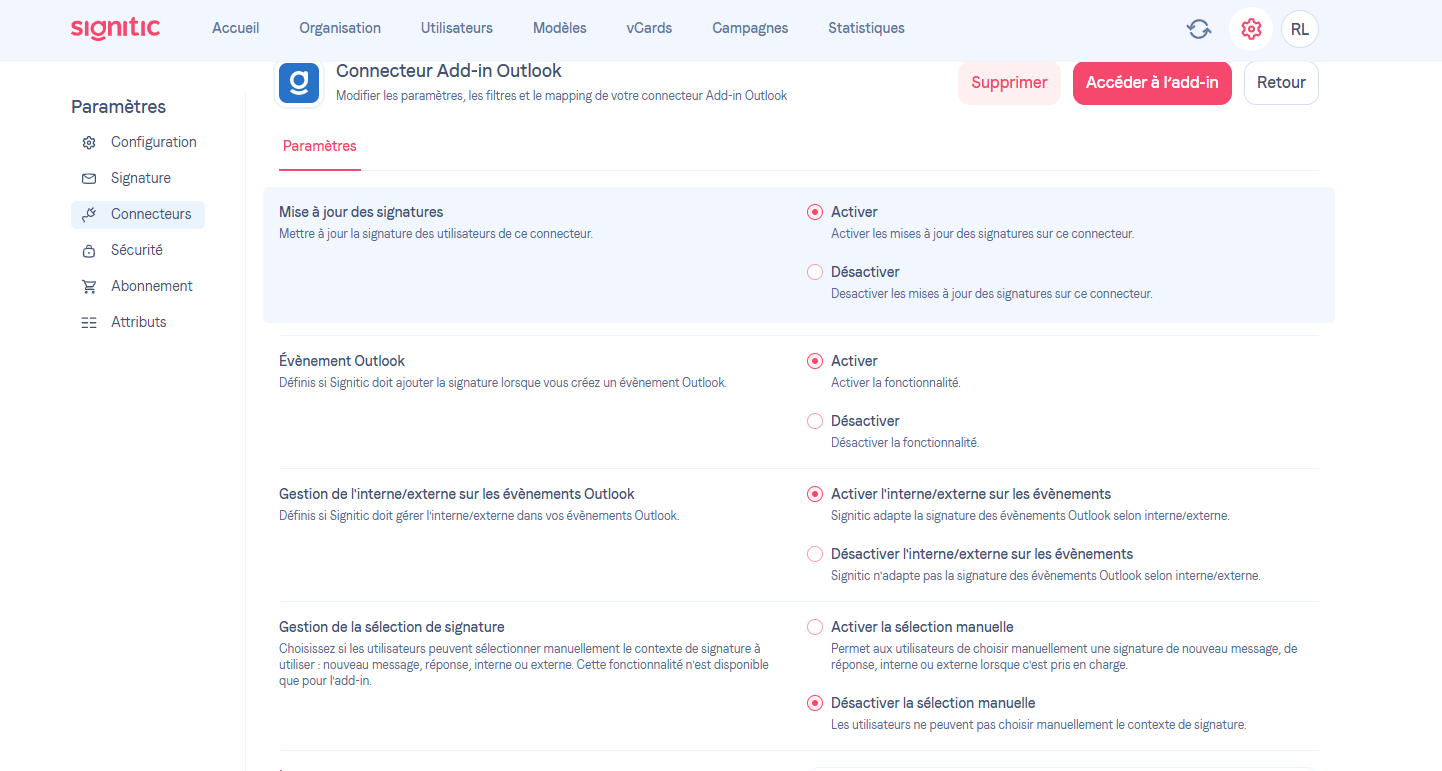
Go to Settings
Click on Connectors
Select your Outlook Add-in Connector
Scroll down to the Signature selection management
❷ Enable the option
Check Enable manual selection
Save your changes if necessary
❸ Result
Once activated:
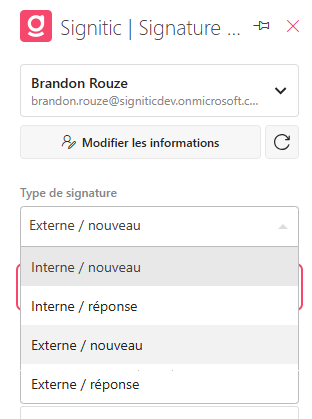
Users will be able to manually choose their signature
The option will be available when composing an email
This applies to new messages and replies, both internally and externally
❹ Good to know
If the option is deactivated, the signature is automatically applied according to the rules defined in Signitic. The automation remains active, even if the option is enabled.