
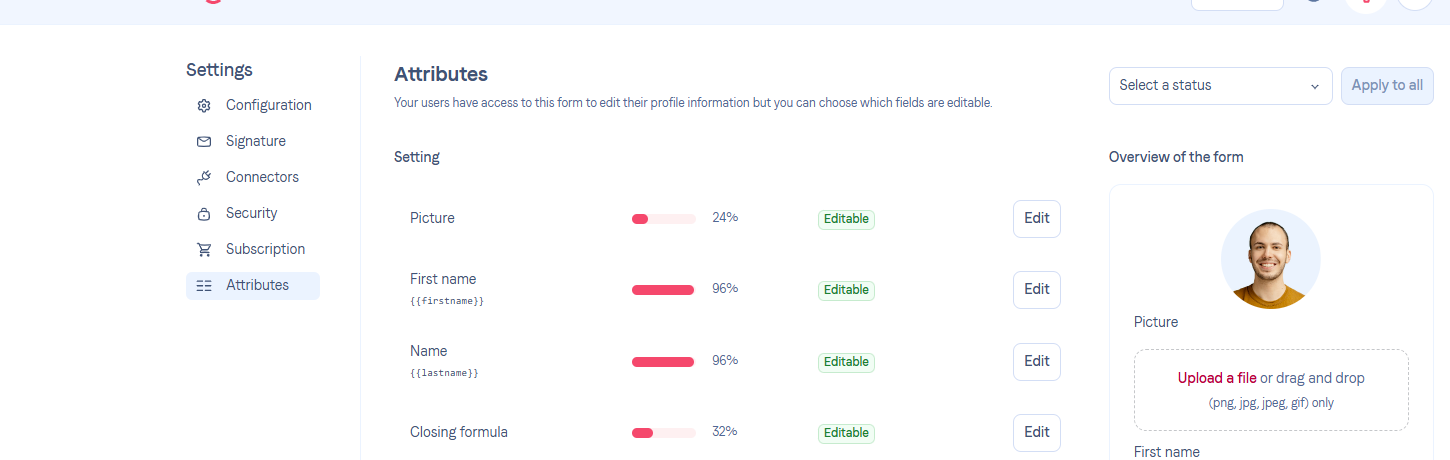
Go to Settings > Attributes.
Supported fields show an Edit button that opens the field configuration.
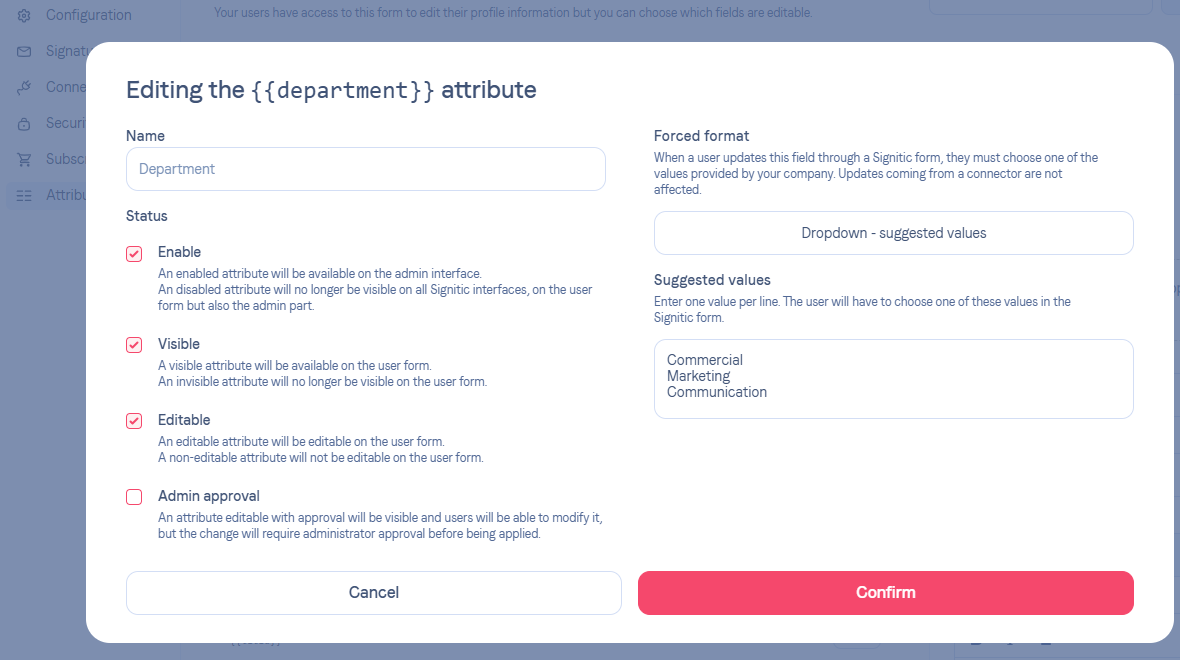
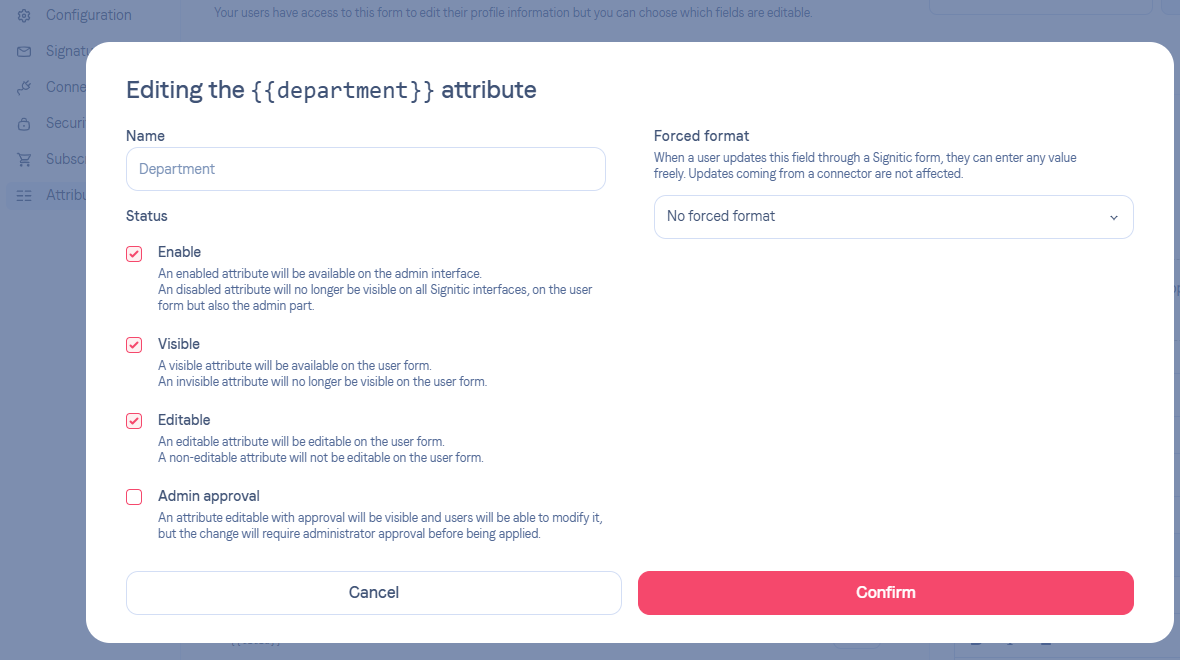
In the field edition modal for a field such as Department, use the Forced format setting.
You can choose:
No forced format to keep free text input.
Dropdown - suggested values to force users to pick from a list.
When dropdown mode is enabled, the Suggested values field expects one value per line.
This feature mainly applies to:
Department / Unit
Title / Position
ExtraOne and other extra fields
Dedicated phone formats are not replaced by this dropdown mode.
Once configured, the dropdown appears in several Signitic forms:
the form preview in Settings > Attributes
the admin user edit form
the user self-edit form
the public profile edit form
The dropdown applies only to Signitic forms.
Updates coming from a connector are not blocked by this constraint.
Dropdown mode requires at least one configured value.
If a user already has an older value that no longer exists in the list, that value is still offered to avoid data loss.


