In some environments, Windows usernames do not correspond to users' email addresses or use a specific format. In this case, you can store this identifier in a Signitic user field, then instruct the Signitic Agent which field to use to find the correct user.
The Windows username does not correspond to the user's email address.
The username format is specific to your organization.
Automatic connection via GPO does not correctly find some users.
You wish to continue sending the username from the GPO script, but match it to a dedicated Signitic field.
The GPO script sends a user identifier to Signitic during the creation of the desktop agent configuration file.
Signitic then compares this identifier with the field defined in the Signitic Agent connector. If the value sent by the agent matches the value present on a Signitic user, the agent can automatically connect the correct user.
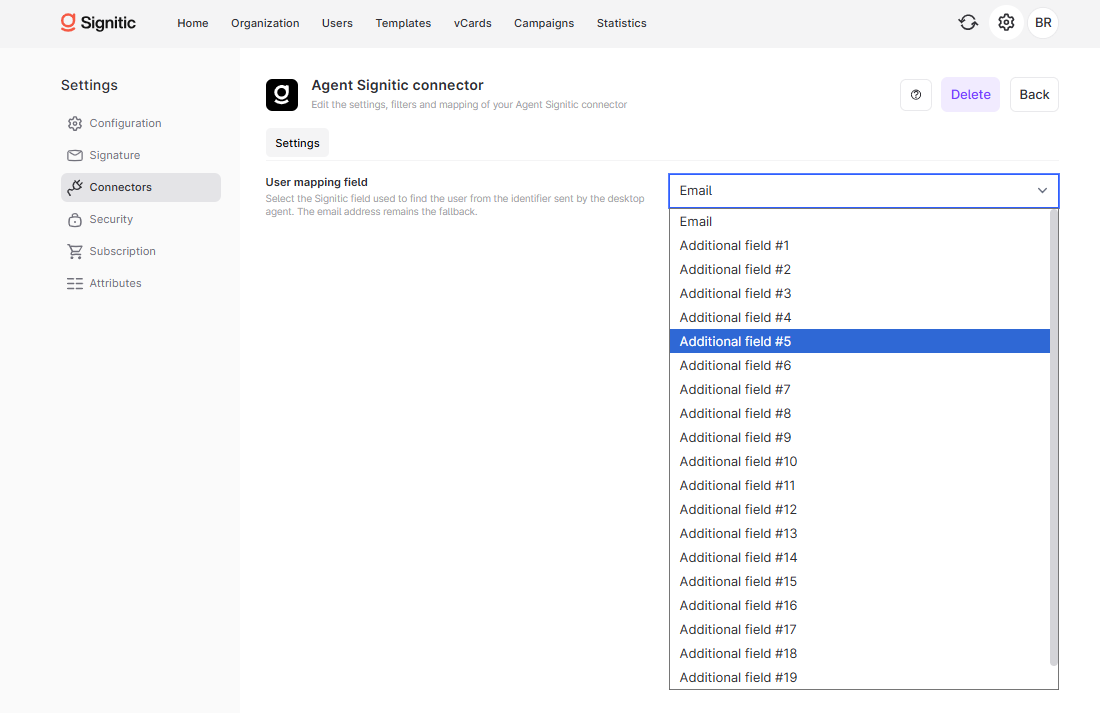
By default, matching can be performed on the Email. If your users have specific usernames, select instead the additional field where you have imported or specified this username.
The selected field must be populated in the relevant Signitic users.
The field value must match exactly the identifier sent by the GPO script.
Open Settings in Signitic.
Go to Connectors.
Open the Signitic Agent connector.
In the Settings tab, locate the User Matching Field field.
Select Email or the custom field that contains the username to be used.
Save the configuration.
If the GPO script sends the Windows username jdupont, but the Signitic user has the email [email protected], email matching is not sufficient.
In this case, enter `jdupont` in an additional user field, for example Additional Field #1, then select the same field in the Agent Signitic connector.
Verify that each affected user has a unique value in the selected field.
Avoid spaces, case differences, or variations between the username sent by GPO and the value stored in Signitic.
If multiple users have the same value, automatic login may not direct the correct user.
After making changes, restart a session or redistribute the agent configuration to test automatic login.
Yes, if the identifier sent by the GPO script matches the user's email address.
Select the additional field where the username used by the Windows environment has been imported or entered.
Yes. The value stored in Signitic must correspond to the identifier actually sent by the desktop agent.